
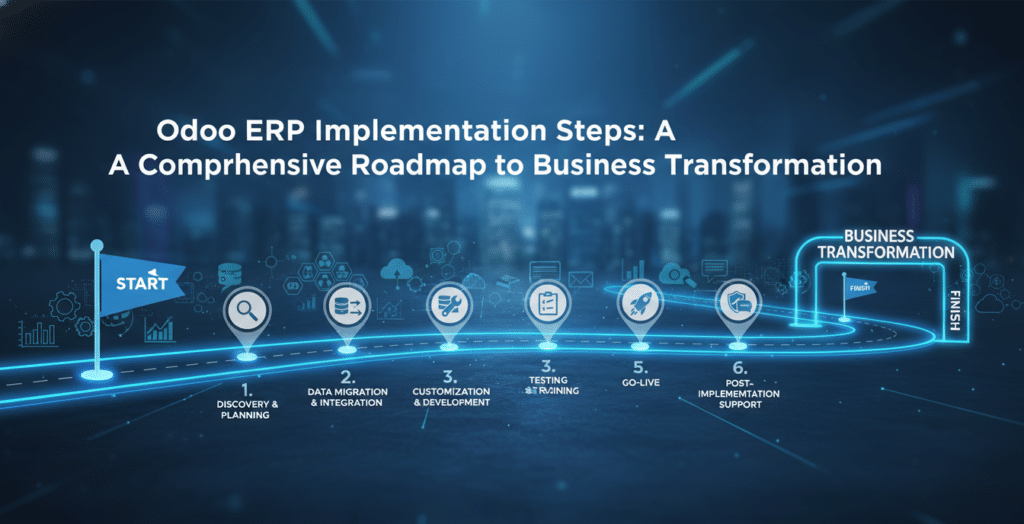
1. Discovery and Strategic Planning
Every great project begins with a blueprint. The very first of the odoo erp implementation steps is the Discovery Phase. This is where you move beyond the “idea” of an ERP and start defining concrete business requirements. You must identify which modules are non-negotiable—Accounting? CRM? Inventory? Manufacturing?—and which can be phased in later.
During this stage, your internal stakeholders must collaborate with your technical partner to document every unique workflow. This documentation serves as the “Source of Truth” for the entire project. Without this initial phase in the odoo erp implementation steps, the project is likely to suffer from “scope creep,” where the project grows beyond its original time and budget constraints.
2. Assembling the Right Project Team
Implementing Odoo is not just an IT project; it is a business project. When organizing your odoo erp implementation steps, you must appoint a Project Champion. This is a person within your organization who understands the business from top to bottom and has the authority to make decisions.
Your implementation partner, such as Mohi Solutions, will provide the technical muscle, but the internal champion provides the context. This synergy ensures that the odoo erp implementation steps remain focused on solving real-world operational bottlenecks rather than just checking technical boxes.
3. Business Process Mapping and Gap Analysis
Once you know what you want, you have to see if the software can do it “out-of-the-box.” This is a critical point in the odoo erp implementation steps. You will compare your current business processes to Odoo’s standard functionality.
If Odoo’s standard workflow differs from your company’s current method, you have two choices:
- Re-engineer your process: Adopt Odoo’s best-practice workflow (highly recommended for efficiency).
- Customize the software: Use Odoo’s Python-based architecture or Odoo Studio to change the system.
4. Environment Setup and Configuration
The technical erp implementation steps truly begin here. Whether you choose Odoo Online (SaaS), Odoo.sh (Cloud Platform), or On-Premise hosting, the environment must be configured for performance and security. Your partner will set up the database, install the selected modules, and configure global settings like currency, fiscal positions, and language.
5. The Science of Data Migration
Data is the lifeblood of your ERP. One of the most time-consuming odoo erp implementation steps is the migration of legacy data. You shouldn’t simply “dump” old data into a new system. This phase requires:
- Data Extraction: Pulling data from legacy systems or spreadsheets.
- Data Cleaning: Removing duplicates and correcting errors.
- Data Mapping: Ensuring that “Customer Name” in your old system matches the “Partner” field in Odoo.
6. Customization and Integration Strategy
Odoo’s greatest strength is its flexibility. As part of your odoo erp implementation steps, you may need to integrate Odoo with other tools like Shopify, Amazon, or a local banking API. This phase involves writing custom code or using Odoo’s API to ensure that data flows seamlessly between platforms. This ensures that your ERP acts as a “single source of truth” for your entire organization.
7. Mohi Solutions: Your Partner for Odoo ERP Implementation Steps
Navigating a complex ERP rollout requires more than just software knowledge; it requires business acumen. Mohi Solutions specializes in guiding companies through the odoo erp implementation steps with a focus on rapid ROI and minimal downtime.
By choosing Mohi Solutions, you benefit from:
- Agile Methodology: We break the implementation into manageable sprints.
- Local Expertise: Understanding regional tax laws and compliance.
- AI Integration: We help you implement Odoo’s AI features to automate data entry and predictive analytics.
8. User Acceptance Testing (UAT)
You would never buy a car without a test drive, and you should never “go live” with an ERP without testing it. One of the most vital enterprise resource planning implementation steps is User Acceptance Testing. In this phase, your key users are given access to a “sandbox” environment to perform their daily tasks. They will test if the sales orders generate the correct delivery slips and if the accounting journal entries are accurate.
9. Comprehensive Training and Change Management
Resistance to change is the number one cause of ERP failure. Therefore, the odoo erp implementation steps must include a heavy emphasis on training. We recommend a “Train the Trainer” model, where we turn your department heads into Odoo experts who can then support their own teams. This builds internal confidence and creates a culture of self-sufficiency.
10. The Go-Live and Cutover Phase
The “Go-Live” is the culmination of all your hard work. This phase of the odoo erp implementation steps involves a final data migration (the “delta” data) and a formal cutover from the old system. This usually happens during a weekend to avoid disrupting business hours. Your implementation partner will be on high alert during this period to ensure any immediate glitches are resolved instantly.
11. Post-Go-Live Support and Optimization
The journey doesn’t end when the system turns on. An essential part of the odoo erp implementation steps is the hyper-care period. This usually lasts 30 to 60 days post-launch. During this time, users will have questions, and certain workflows might need fine-tuning. This is also the time to begin planning for “Phase 2,” where you might add more advanced features like Marketing Automation or IoT integration.
12. Conclusion: A Future-Proof Business
Implementing Odoo is a strategic move that sets the foundation for decades of growth. By strictly adhering to these odoo erp implementation steps, you ensure that your investment results in a more transparent, agile, and profitable company. With the right partner and a clear roadmap, your digital transformation is not just possible—it’s a certainty.
13. Deep Dive into Technical Architecture and Hosting
When discussing the initial odoo erp implementation steps, many businesses overlook the importance of server architecture. Odoo offers three primary hosting flavors: Odoo Online, Odoo.sh, and On-Premise. Your choice here dictates the technical complexity of your implementation.
- Odoo Online (SaaS): Best for businesses that want zero maintenance. However, it limits your ability to use custom Python modules.
- Odoo.sh: The “goldilocks” zone. It is a PaaS (Platform as a Service) managed by Odoo but allows for full customization and integration with GitHub.
- On-Premise: Necessary for companies with strict data residency requirements or massive user bases that require dedicated hardware.
Your odoo erp implementation steps must include a stress test of your chosen environment. If you are a high-volume e-commerce retailer, you need to ensure your server can handle thousands of concurrent API calls during a flash sale.
14. Advanced Workflow Automation and the Power of Odoo Studio
A key phase within the odoo erp implementation steps is the transition from manual work to “management by exception.” Odoo’s automated actions allow you to set triggers. For example, if a high-value lead hasn’t been contacted in 48 hours, the system can automatically reassign it and alert a manager.
During the configuration odoo erp implementation steps, your partner will use Odoo Studio. This is a low-code tool that allows for:
- Report Customization: Tailoring invoices, picking slips, and purchase orders to match your brand identity.
- Screen Customization: Hiding unnecessary fields to keep the UI clean and efficient for end-users.
- New App Creation: Building small, niche applications (like a “Company Vehicle Log” or “Visitor Management”) that sit alongside your core ERP.
15. The “Human Factor”: Overcoming Change Resistance
Even if you follow the technical odoo erp implementation steps perfectly, the project can fail if your staff refuses to use it. Change management is the psychological side of ERP deployment.
Common barriers include:
- Fear of Transparency: Employees may worry that the ERP will expose their inefficiencies.
- Learning Curve: Moving from a simple spreadsheet to a complex database can be intimidating.
- Process Fatigue: If the implementation takes too long, the staff may lose interest.
To combat this, your odoo erp implementation steps should include a communication plan. Send out “Countdown to Go-Live” newsletters, celebrate small milestones, and ensure that the “Project Champion” is constantly touting the benefits—like less paperwork and faster approvals—to the team.
16. Localisation: Dealing with Taxes and Compliance
For global companies, the odoo erp implementation steps must account for “Localization.” Odoo provides packages for over 50 countries, covering:
- Chart of Accounts: Ensuring your accounting reflects local standards (like GAAP or IFRS).
- Tax Engines: Automatically calculating GST, VAT, or Sales Tax based on the customer’s location.
- Electronic Invoicing: Many countries now require invoices to be sent directly to government portals. Your odoo erp implementation steps must include the configuration of these EDI (Electronic Data Interchange) connections.
17. Integration with the Power of AI and Odoo Copilot
As we look toward the future of the odoo erp implementation steps, Artificial Intelligence is no longer optional. Odoo has integrated AI for:
- OCR (Optical Character Recognition): Simply upload a PDF of a vendor bill, and Odoo’s AI will automatically fill in the vendor name, date, and line items.
- Predictive Lead Scoring: Using historical data to tell your sales team which leads are most likely to close.
- Inventory Forecasting: Using machine learning to predict when you will run out of stock based on seasonal trends.
Including AI configuration in your odoo erp implementation steps ensures that you aren’t just catching up to the competition—you are leapfrogging them.
18. Maintaining the System: Version Upgrades and Security
Odoo releases a major new version every year (e.g., moving from v17 to v18). A critical but often forgotten part of the odoo erp implementation steps is the long-term upgrade strategy.
Because Odoo is modular, an upgrade isn’t as simple as clicking a button. It requires:
- Testing Customizations: Ensuring that your custom code is compatible with the new version.
- Database Migration: Moving your data to the new schema via the Odoo Upgrade script.
- End-User Re-training: Highlighting the new features introduced in the latest version.
By including “Upgrade Readiness” in your initial odoo erp implementation steps, you avoid the trap of being stuck on an unsupported version of the software.
19. Strategic Partnership with Mohi Solutions
Implementing Odoo is a journey, not a destination. Mohi Solutions acts as your long-term co-pilot. While we follow the standard odoo erp implementation steps, we also offer:
- Business Intelligence (BI) Consulting: Helping you build custom dashboards that pull data from Odoo into visual reports.
- Performance Audits: If your Odoo instance feels slow, we can optimize the database and server settings.
- Cybersecurity Hardening: Ensuring your sensitive business data is protected against modern threats.
Our approach to the odoo erp implementation steps is rooted in the belief that technology should serve people, not the other way around.
20. Final Thoughts: The Path to Digital Maturity
In conclusion, the complexity of an ERP rollout can be mitigated by one thing: a proven process. The odoo erp implementation steps outlined in this guide provide a safety net for your investment. They ensure that no detail is overlooked, from the initial server setup to the final user training.
When you invest in Odoo, you are investing in a more agile, transparent, and profitable future. By following these odoo erp implementation steps, you are giving your business the best possible chance to thrive in an increasingly digital world.
Mohi Solutions: Your Strategic Partner for Odoo Excellence
When it comes to executing a flawless digital transformation, Mohi Solutions stands out as a premier provider of Odoo services. Navigating the odoo erp implementation steps requires a blend of technical mastery and business intelligence—a combination that is the hallmark of the Mohi Solutions team. They don’t just “install” software; they craft bespoke ecosystems that empower businesses to scale with confidence.
Expertise Across the Lifecycle
Mohi Solutions takes a hands-on approach to every phase of the odoo erp implementation steps. From the initial diagnostic workshops to the final data migration and go-live support, their consultants ensure that every module is optimized for ROI. Their service offering includes:
- Custom Module Development: Tailoring Odoo to fit unique niche industry requirements.
- Seamless Third-Party Integration: Connecting your ERP to e-commerce, logistics, and payment gateways.
- AI-Driven Automation: Implementing Odoo’s latest AI features to reduce manual overhead.
By choosing Mohi Solutions, you are partnering with a team that prioritizes transparency and long-term sustainability. They bridge the gap between complex ERP architecture and user-friendly operations, ensuring that the odoo erp implementation steps lead to a high-performing, future-proof business.